


UPERFECT Delta 23.8 Inch Dual Portable Monitor


UPERFECT Delta 23.8 Inch Dual Portable Monitor
Details
SPECIFICATIONS
Application: Laptop
Black and White Response Time: 25 ms
Bracket Type: Swivel Lift Bracket
Brand Name: Uperfect
Brightness: 250cd/m
Built-in Speaker: Yes
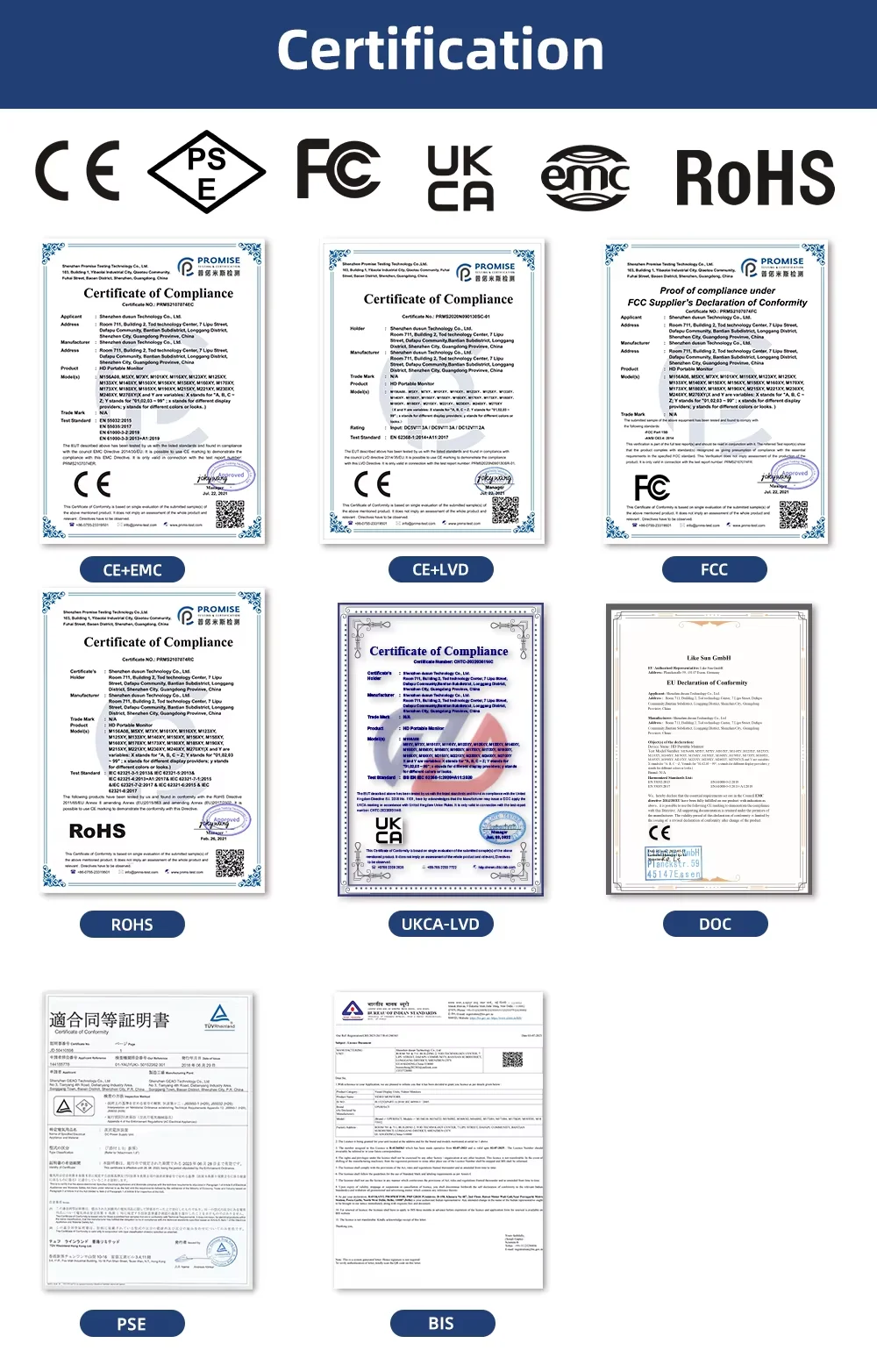
Certification: CE,FCC,RoHS,UL,pse
Contrast Ratio: 1000:1,1100:1
Display Ratio: 16:9
Feature: Speaker,Gaming
High-Dynamic Range: Other
High-concerned chemical: None
Horizontal Viewing Angle: 178°
Interface Type: Type-C
Origin: Mainland China
Panel Type: IPS
Pixel Pitch: 0.285mm
Plug Type: EU Plug
Products Status: STOCK
Refresh Rate: 100Hz
Refresh rate sync technology: AMD FreeSync
Resolution: 1920x1080,1920x1080
Response Time: 25ms
Screen Type: WLED
Screen curvature: None
Screen surface: MATT
Uperfect Model: Delta
VESA (Hole spacing ): 100*100mm
VESA Screw hole specifications: M4*6mm
Vertical Viewing Angle: 178°
UPERFECT Delta 23.8" 100Hz Dual Monitor (No Driver Needed)

Plug & Play, Easy Setup
Discover the game-changing difference with UPERFECT's first-ever driver-free dual-screen monitor! Unlike traditional dual monitors that require tedious driver installations, our innovative design simplifies the process, eliminating errors and complexities; Just connect your devices with a single Type-C cable and enjoy seamless dual-screen display; Kind tips: For a better experience, it's recommended to connect the power supply

Express 100Hz Refresh Rate
Faster & Smoother! The 100Hz gaming-grade refresh rate eliminates screen smear and avoids motion blur in games. You'll never want to go back to the traditional screen

Improved Content Sharing in Meetings
180° gravity sensing system enhances the sharing of conference materials, while screen rotation ensures clear visibility for all participants

Maximize Your Productivity
Amplify multitasking capabilities, streamline page transitions, and elevate your work efficiency to new heights

Real-Time Viewer Interaction
Achieve seamless interaction between live broadcasters and their audience. You can watch your own content, engage with viewers, and monitor live broadcast updates in real time, all in one place

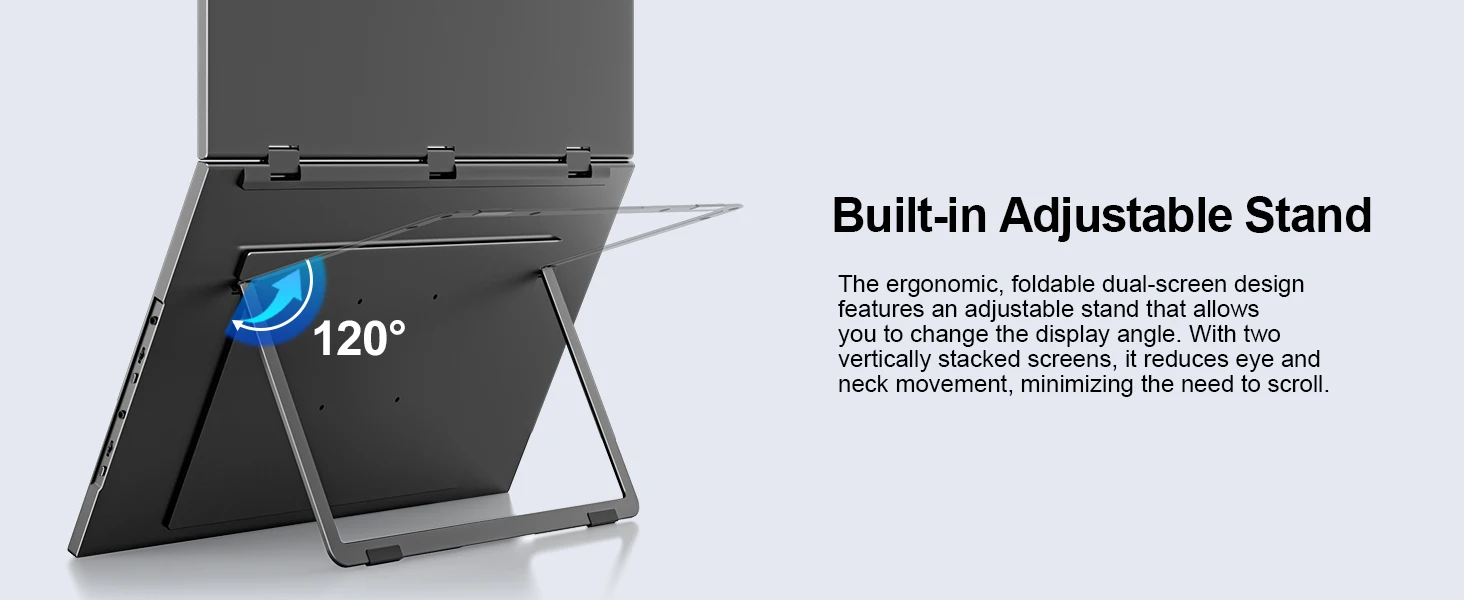
Adjustable Stand & VESA Mount
Its built-in 180° adjustable stand allows you to easily tilt, swivel, and pivot the monitor, ensuring that you can find the perfect ergonomic position for your needs; With VESA (100x100 mm, M4*6 mm) support, you can easily mount the monitor to a wall, monitor arm, or any other VESA-compatible mounting system; Especially valuable for users looking to save desk space or create a multi-monitor setup

Connection


Ergonomic Design, Upgrade Workspace
The 23.8" dual stacked monitor expands your workspace to double, offering a larger visual area; Its vertical layout minimizes scrolling and page switching, reducing eye and neck strain; IPS matte screen, 100% sRGB color gamut and ΔE<2 guarantee accurate color reproduction; Anti-glare, flicker-free, and eye care features ensure extended and comfortable viewing


What's in the box?
1 x Monitor
1x HDMI cable (4K)
2 x C-C line
1 x PD45W power supply
1 x Instruction manual
Specifications:
Model: Δ / Delta Plus
Refresh Rate: 100Hz
Screen Size: 23.8 inch
Resolution: 1920 × 1080 (FHD)
Display Ratio: 16:9
Viewing Angle: 178°
Panel Type: IPS
Contrast Ratio: 1000:1
Brightness: 250 cd/m²
Color Gamut: 100% sRGB
Color Depth: 16.7M(8bit)
Rated Power: 14W
Material: Aluminum
Built-in Speaker: Yes, 2*8Ω 1W
Built-in Battery: No
Vesa: Yes, 100*100mm@M4*6mm
Diaplay Area Size: 527.04(W)×296.46(H) mm
Net Weight: 2.78 kg
Interface
2 × Full-Featured USB Type-C for Audio & Video Input
1×standard HDMI for Audio & Video Input
1 x 3.5mm headphone jack
Support Single Type-C Cable For Display & Power Device Model
- Mobile Phones Support USB 3.1:
For Samsung: Samsung Galaxy S8, S8+, S9, S9+, S10, S10+, S10e,S20,S20+,S20 Ultra,S21,S21+,S21 Ultra,S22,S22+,S22 Ultra, Note 8, Note 9,Note 10
For Huawei: P50 Pocket/40 Pro/40/30/20/10/9 Series, Mate X/Xs/X2/40 Pro/40/30/20/10/9 Series, Honor Note 10,Honor Magic V/3/Pro/Pro+/4/4 Pro/4 Ultimate;
For SONY: Xperia 1 / 1 II/1 III/1 IV/5/5 II/5 III/10 III/Pro/Pro-I;
For OnePlus: 7/7 Pro/8/8 Pro/9/9R/9 Pro;
For OPPO: Find X3 Pro/Reno 10x Zoom/Reno 5G/R17 Pro (OPPO RX17 Pro in Europe);
For LG: V60/V50/V40/V35/V30/V30+/V20 Series,G8/G7/G6/G6+(with Dec 2018 update)*functionality has not been tested*/G5 Series,Q8;
For HTC: 10/U Ultra/U11/U11+/U12+/U19e,Exodus 1;
For ASUS:ROG Phone/Phone II/Phone 3/Phone 5/Phone 5s Series,ZenFone 3 Ultra,ZenFone AR,ZenFone Ares;
For Motorola: Edge+/Edge S (China variant)/Moto G100 (global version for European market)/ Edge 20 Pro/30 Pro(global variant)/X30;
For Xiaomi: Black Shark 2/3/4;
For ZTE: Axon 9 Pro/10 Pro,Nubia Red Magic 6S Pro/7/7 Pro;
Others: BlackBerry Key2,BQ Aquaris X2,Essential Phone,Fairphone 4,Lenovo Legion Phone Duel/2 Pro/Duel 2,NOKIA 9 PureView, Microsoft Lumia 950/950 XL, HP Elite x3,Razer Phone/Phone 2,Fairphone 4;
*NOTE: If you can not find your devices above, please use IOS/Android to HDMI Adapter for connecting.
- Laptops Support Thunderbolt 3 or USB 3.1:
For Apple: Apple MacBook Pro (Late 2016) and newer,Apple MacBook Air (Late 2018) and newer ;
For Huawei: MateBook D/X/X Pro/E/13, MagicBook;
For ASUS: ZenBook, U4100UN, U5100UQ, ROG Series;
For HP: EliteBook Folio G1, Spectre 13,ZbookZbook Studio;
For Dell: G3/G5/G7 Series, Inspiron 5000/7000 Series, XPS12/13/15;
For Lenovo: Thinkpad E580/T470/T470s/T480/T480s/X1 Carbon (2017-2019);
For MIUI: Air 12.5"/133.3", Pro 15.6", MI Game NoteBook
For Google: ChromeBook Pixels
For Razer: Blade Stealth Series (All)
For Microsoft: Surface Book 2
Others: Acer Swift 5,MSI GS60 6QE,Gigabyte Aero 15x/15 x9/15 y9;
*NOTE: If you can not find your devices above, please use mini HDMI cable instead.
Q:The screen flickers or goes black during use.
1.lt is generally caused by an insufficient power supply.The monitor require highpower support.Please use the original cable included to power the monitor.
2. lf you use a power bank to power the monitor, please confirm whether the power ofthe power bank reaches 45w or above. In addition, if you need a power bank, pleasecontact us
3.lf there is external interference, please try to move speakers and other equipmentaway;
4.Please try to set the device refresh rate to 60Hz;5.Cable is defective or damaged.
Q: why does my monitor not turn on?
1.Make sure the cable you use is provided by us, or is compatible with your deviceand is not damaged.
2.Select the correct input source, such as HDMI, Type-C.
3.lf you are using a Type-C signal source, please ensure that the Type-C port of yourdevices support both power and signal transmission; and make sure that the cable isconnected to the monitor's second Type-C port, not the first.
4.This may be caused by insufficient power supply.It is recommended to use anexternal power supply above PD45w.
Q: lt says "no signal", what to do?
1. When connecting with a USB-C cable, make sure your device supports USB3.1./Thunderbolt 3.please add a Mini HDMl to HDMl cable for signal transmission.
2.Please make sure to use the original cables.
3.Please try another device.lf it still fails, please tell us for a replacement.Q:Touch operation on the monitor, but applied to the computer.
Materials + Care
We prioritize quality in selecting the materials for our items, choosing premium fabrics and finishings that ensure durability, comfort, and timeless appeal.
Shipping + Returns
We strive to process and ship all orders in a timely manner, working diligently to ensure that your items are on their way to you as soon as possible.